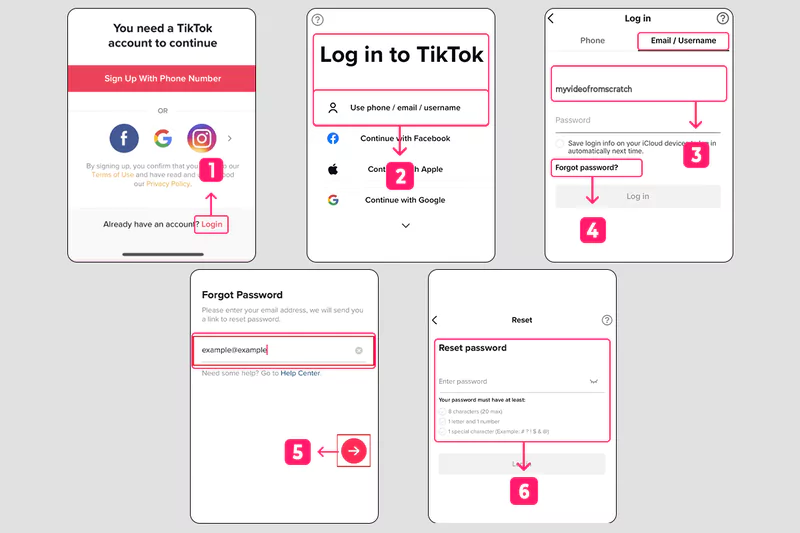
The standard reset process often stumbles when automated security messages fail to appear. If your verification code is not sending, cellular infrastructure or third-party spam blocking is frequently the culprit rather than TikTok's internal servers.
Mobile carriers regularly route shortcode dispatches through automated filtering algorithms designed to intercept commercial spam. If your carrier flags TikTok's distribution server as promotional noise, the SMS never reaches your inbox. Check your messaging application’s "Spam and Blocked" folder. For Android devices, open Google Messages, tap your profile avatar, and review blocked conversations. On iOS, verify that "Filter Unknown Senders" within Settings has not silenced the inbound authentication dispatch.
If you selected linked email recovery, check your junk, quarantine, and promotional folders. Search your inbox for dispatches originating from @tiktok.com or @account.tiktok.com. Corporate or educational email addresses often drop automated consumer security tokens at the server firewall level, making personal addresses far more dependable for recovery routing.