Professional documentation often requires rapid entry of Greek characters inside dense prose. Opening nested drop-down menus slows typing cadence to a crawl. Fortunately, mainstream word processors feature automated translation routines that mirror code-based formatting engines.
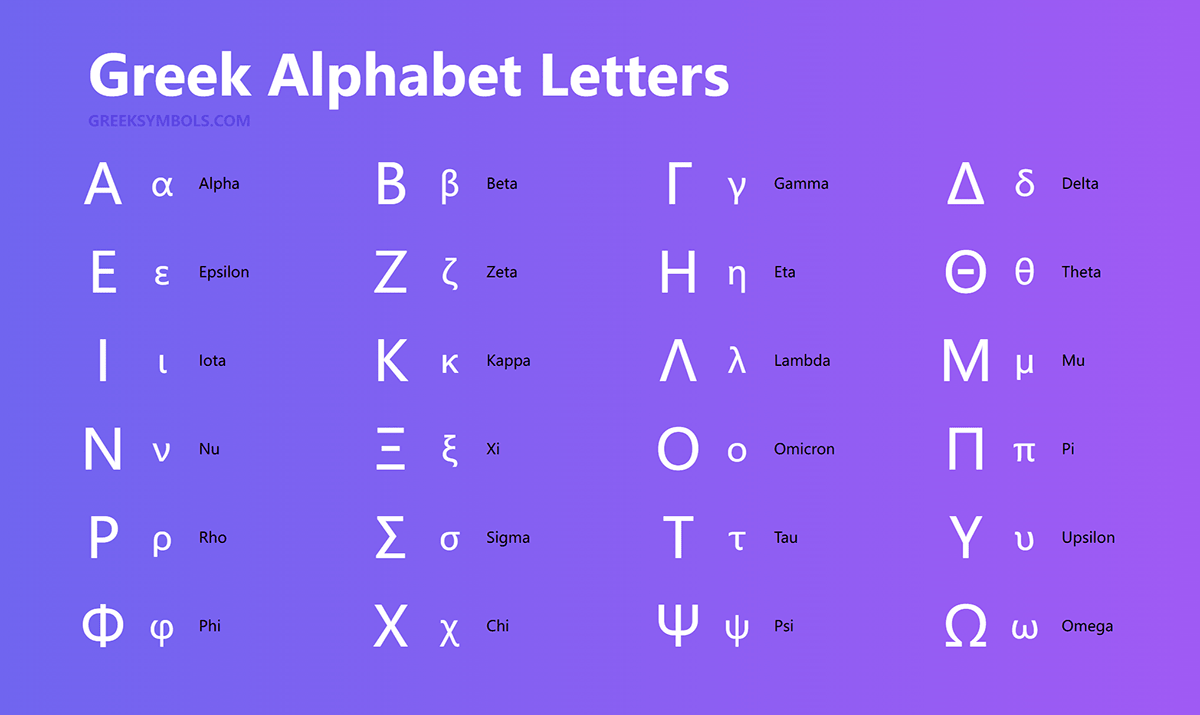
Within Microsoft Word, the conventional path requires navigation through Insert > Symbol > More Symbols, which is far too sluggish for real-time note-taking. Power users rely on the Microsoft Word insert symbol shortcut found within the integrated equation environment. Pressing Alt + = opens an active formula block. Inside this field, typing a backslash followed by the symbol name automatically converts your plain text into the rendered glyph upon hitting the spacebar:
Typing \alpha produces α. Typing \Beta produces Β. Similarly, keying \theta or \Theta returns θ or Θ instantly.
Google Docs adopted this exact behavior through its Equation Editor, accessible via Insert > Equation. Once activated, the exact same backslash naming convention translates inputs without requiring secondary mouse clicks. For continuous inline drafting outside of formal equation blocks, users can add custom replacement rules in both applications. Mapping shortcuts like :d: to Δ or :w: to Ω within Tools > Preferences > Substitutions automates symbol insertion across plain narrative paragraphs.